Downloading an APK can be safe—but only if you know what to check before you tap “Install.” This guide explains how to do a cwinz apk download in 2026, what the latest-version indicators look like, and which permissions are normal for an online casino and sportsbook app.
If you’re deciding between app and browser play, start with the official overview of the cwinz app and then come back here for the Android setup steps.
A Cwinz APK is the Android installation file for the Cwinz app. People choose the APK route when:
The app isn’t available in their local Play Store region, or
They want to install directly from the brand’s official download page.
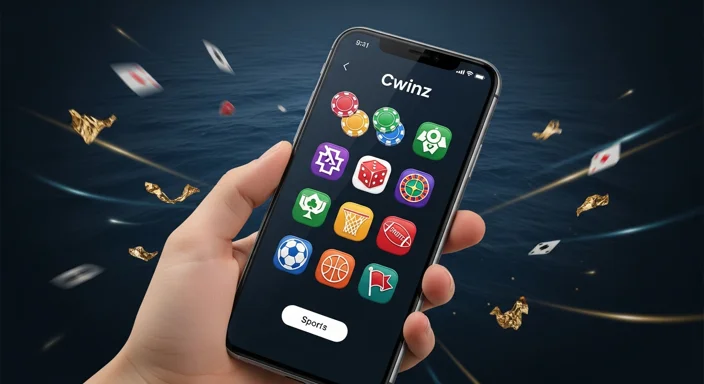
The app typically provides access to casino titles (slots, live dealer, crash games) and sportsbook markets (including cricket, football, tennis, and basketball) in one place.
Before you download: safety checks to avoid fake APKs
Fake APKs are the biggest risk when searching “cwinz com app download apk” on the open web. Use this checklist before installing:
Use official sources: Prefer the official download flow referenced on the site or trusted in-app prompts.
Avoid “mod/cracked/bonus” claims: These are common bait for malware.
Check the file details before installing: The APK should look like a standard Android package (not a ZIP with extra executables).
Don’t install if you’re forced to install “helper” apps: A legitimate app download should not require unrelated installers.
Quick safety checklist (save this)
Check
What you should do
Source
Download only via the official Cwinz download path or trusted brand links
File type
Confirm it’s an .apk and not a bundle of unrelated files
Permissions
Review requested permissions during install/first launch
Updates
Update only through the same official route you used to install
Use these steps for a clean cwinz apk download and install:
Open the official Cwinz download page (from the brand’s site/app prompt).
Tap Download APK and wait for the file to finish downloading.
Open your browser’s Downloads list (or your phone’s Files/Downloads folder).
Tap the downloaded Cwinz APK file.
If prompted, allow your browser/file manager to install unknown apps (details below).
Tap Install and wait for completion.
Open the Cwinz app and follow the login/registration prompts.
If you’re new to the platform, login and registration covers common verification and sign-in issues.
How to install the APK (Unknown sources) safely
Android protects you by blocking installs from outside the Play Store until you approve a specific app (like Chrome or your file manager) to install APKs.
Choose the app you used to download the file (e.g., Chrome)
Toggle Allow from this source ON
Install the APK, then consider toggling it OFF again after installation
Tip: Only enable “unknown app installs” for the one app you’re using (don’t turn on broad device-wide installation allowances if your phone offers that option).
What permissions to expect (and what to deny)
A legitimate cwinz casino app generally asks for permissions related to account access, payments, and stability. The exact prompts vary by Android version and your device.
Common/normal prompts:
Network access (required for gameplay, deposits/withdrawals, and account sync)
Storage/media access (may be used for saving files like receipts, or for uploading documents if verification is required)
Notifications (optional—useful for withdrawal updates or security alerts)
Be cautious if you see requests that don’t match app function, such as:
Accessibility access for “auto-clicking”
Full SMS reading or calling controls (unless there’s a clear, optional verification flow and you understand why)
If something feels off, stop and verify you used the official download path before proceeding.
After install: first launch, login, and quick settings
Once installed:
Open the app and confirm the branding and domain references match official Cwinz properties.
Log in (or create an account) and set a strong password.
Enable device security: screen lock + biometrics if available.
Review notification preferences (turn off promotional notifications if you only want security updates).
Want a product-focused overview before you commit to using the app daily? Read the android app review.
Troubleshooting: common APK install errors
“App not installed”
The download may be incomplete. Re-download from the official source.
Your Android version may be incompatible with that build.
There may be a conflict with an older version installed—try uninstalling the previous app first (only if you’re sure it’s the official one).
“There was a problem parsing the package”
The APK is corrupted or not fully downloaded.
You might have downloaded the wrong file type disguised as an APK.
Install blocked / permission denied
You haven’t enabled “Install unknown apps” for the browser/file manager you used.
Your device may have enterprise restrictions (work phone profiles).
Play Protect warning
This can appear for legitimate APKs installed outside the Play Store. Don’t bypass warnings blindly—double-check you used the official Cwinz download route and that the file matches what the site provided.
Update tips: how to get the latest version safely
To keep your cwinz app up to date:
Update only via the same official channel you used originally (official site download flow or in-app update prompt).
Avoid “update” links in random messages or ads—attackers often push fake updates.
After updating, quickly re-check permissions to ensure nothing new was enabled unexpectedly.
If you want a general guide that applies across apps, see app download.
FAQ
Is the Cwinz APK safe to download?
It can be safe if you download it from the official Cwinz download path and verify you’re not being redirected to third-party “mod” or “cracked” pages. Avoid files that request unusual access (like accessibility controls) or require extra installer apps.
Why can’t I find the Cwinz app on Google Play?
Availability can vary by region and policy. In those cases, Android users often use the official APK download method provided by the brand.
What should I do if Android says “App not installed”?
First, re-download the APK from the official source (the file may be incomplete). If the issue persists, uninstall any older version of the app you previously installed (only if you’re sure it was official) and try again.
Which permissions are normal for a Cwinz casino app?
Network access is required. Storage/media and notifications may be optional depending on features like document upload, saving receipts, or status alerts. Be cautious with requests that don’t fit typical app functions, such as accessibility control or broad SMS access.
How do I update to the latest Cwinz APK version?
Use the same official source you used to install (official site download flow or an in-app update prompt). Avoid update links from ads, pop-ups, or unknown messages.